The whole motorcycle catalogue as a tool inside your AI assistant
Enter one URL in Claude, Gemini, Cursor or Perplexity — and your assistant can suddenly compare motorcycles, plan twisty routes, find petrol stations along the way, rate the riding weather, check Alpine passes, query roadworks, look for dealers and ask theory questions. With real data from the NBNL database instead of the model's memory.
- Tools
- 46 free to use
- Endpoint
- mcp.nbnl.de/mcp
- Protocol
- MCP 2025-06-18
- Transport
- Streamable HTTP
- Account required
- no
- API key required
- no
- Price
- €0 — free
- Catalogue
- 553 models
What you can ask
You do not have to pick a tool or type anything that looks like a command. The assistant works out for itself when NBNL is called for — the name underneath only shows what runs in the background.
„I have an A2 licence, a budget of €8,000 and I'm 1.72 m tall. Which naked bike suits me?"
advisor_recommend
„Compare the Honda Africa Twin, KTM 1390 Super Adventure R and BMW F 900 GS Adventure."
compare_bikes_v2
„Show me all naked bikes from KTM with less than 100 hp."
search_bikes_v2
„Plan a twisty tour from Garmisch to Sölden without motorways."
plan_route
„Where can I refuel along the route? Anything within 5 km."
search_pois_along_route
„Which direction is worth riding in from Munich today?"
get_weather_compass
„Are the passes around Innsbruck passable at the moment?"
get_pass_conditions
„Are there any current closures on the A8 around Munich?"
search_roadworks
„Which surfaced Alpine passes in Austria do you have — the longest one in detail."
search_tracks · get_track
„Find me a KTM dealer with a workshop near Kempten."
search_dealers
„Ask me a theory question for category A and mark my answer."
fuehrerschein_get_question · fuehrerschein_check_answer
„How many motorcycles were newly registered in Germany in 2024?"
get_market_stats
What the answers look like
The server delivers structured data, not an interface — how your assistant presents it is up to the assistant. The following captures show what it gets to see.
All six were recorded against the live server: real models, real prices, a real route, a real forecast, a real theory question. None of it is mocked up. They deliberately show NBNL styling and not the interface of Claude or Cursor — that is not ours, and it changes with every redesign.
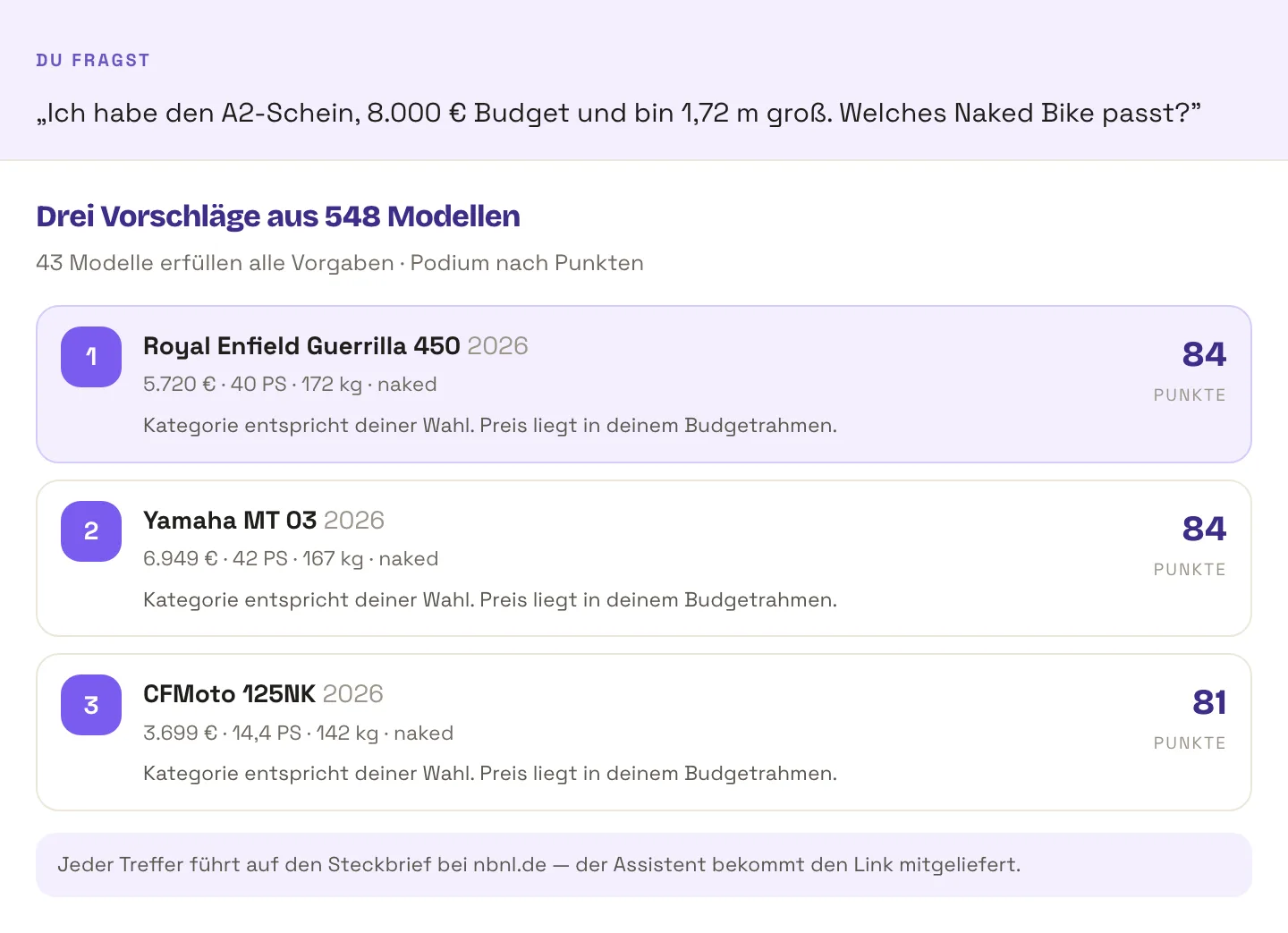
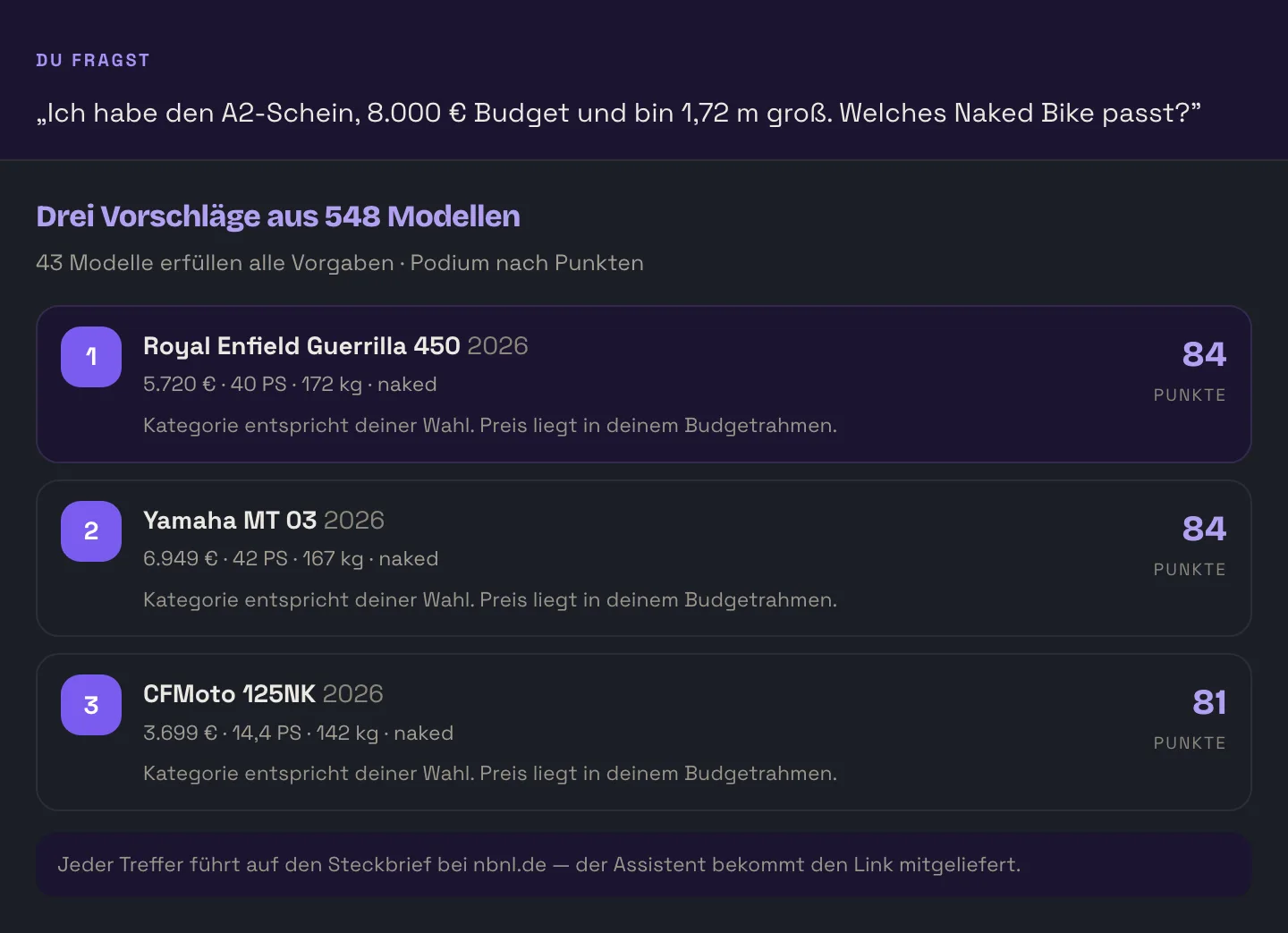
advisor_recommend takes use, experience, licence, height and budget and returns a podium with score, reasoning and a link to the spec sheet.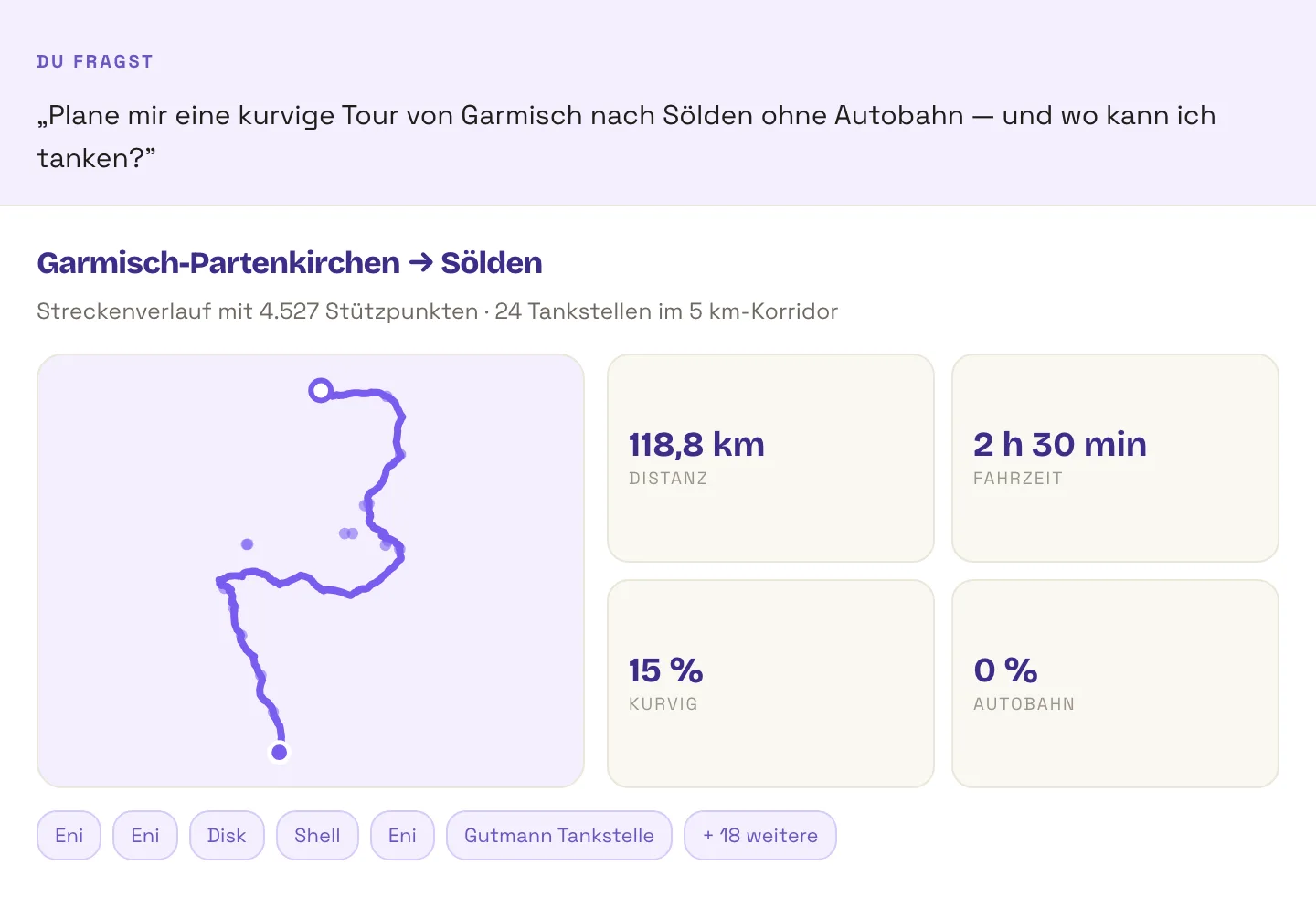
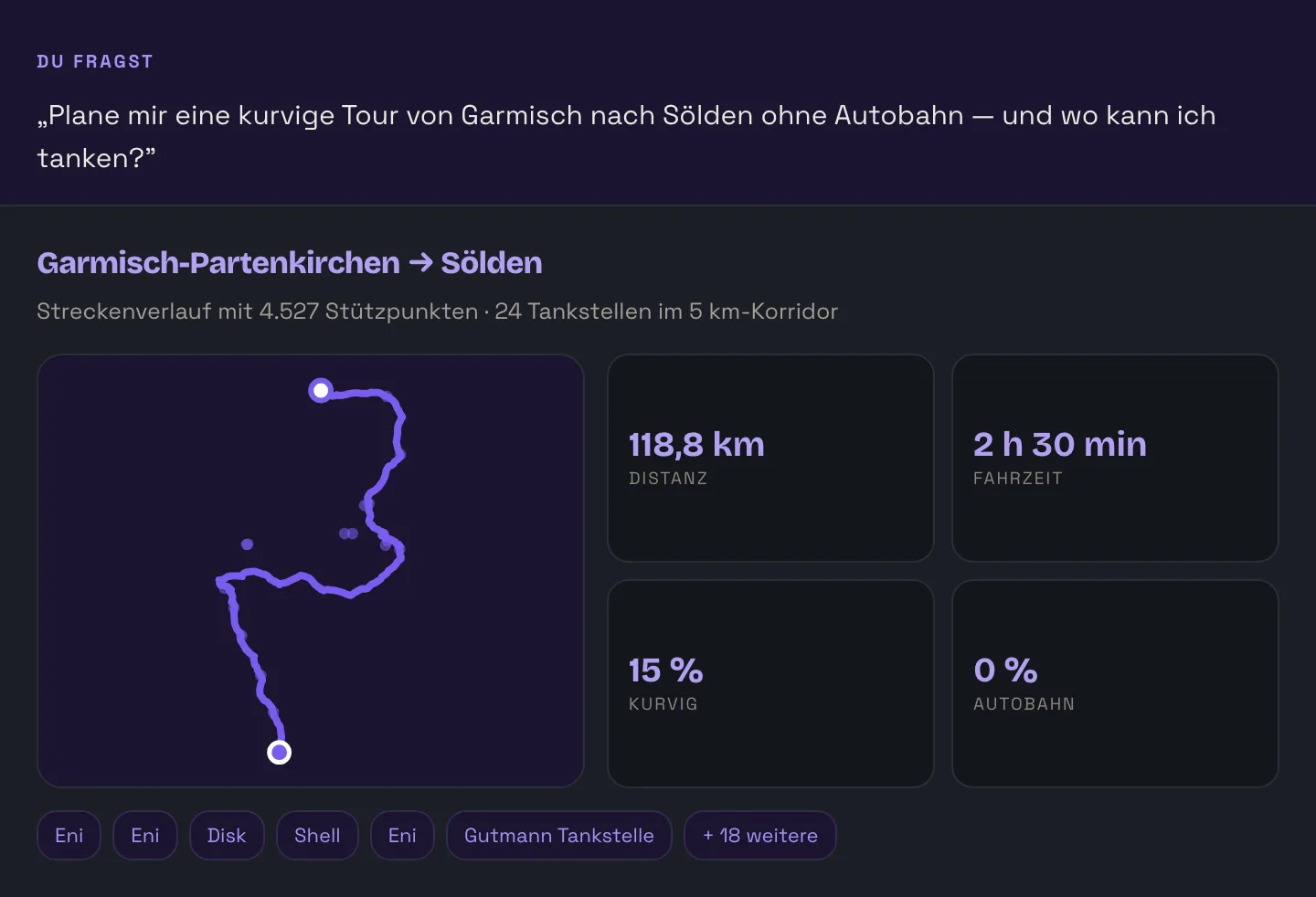
plan_route returns the course of the route including its twistiness, search_pois_along_route searches it for petrol stations, workshops, passes, campsites or biker meeting points.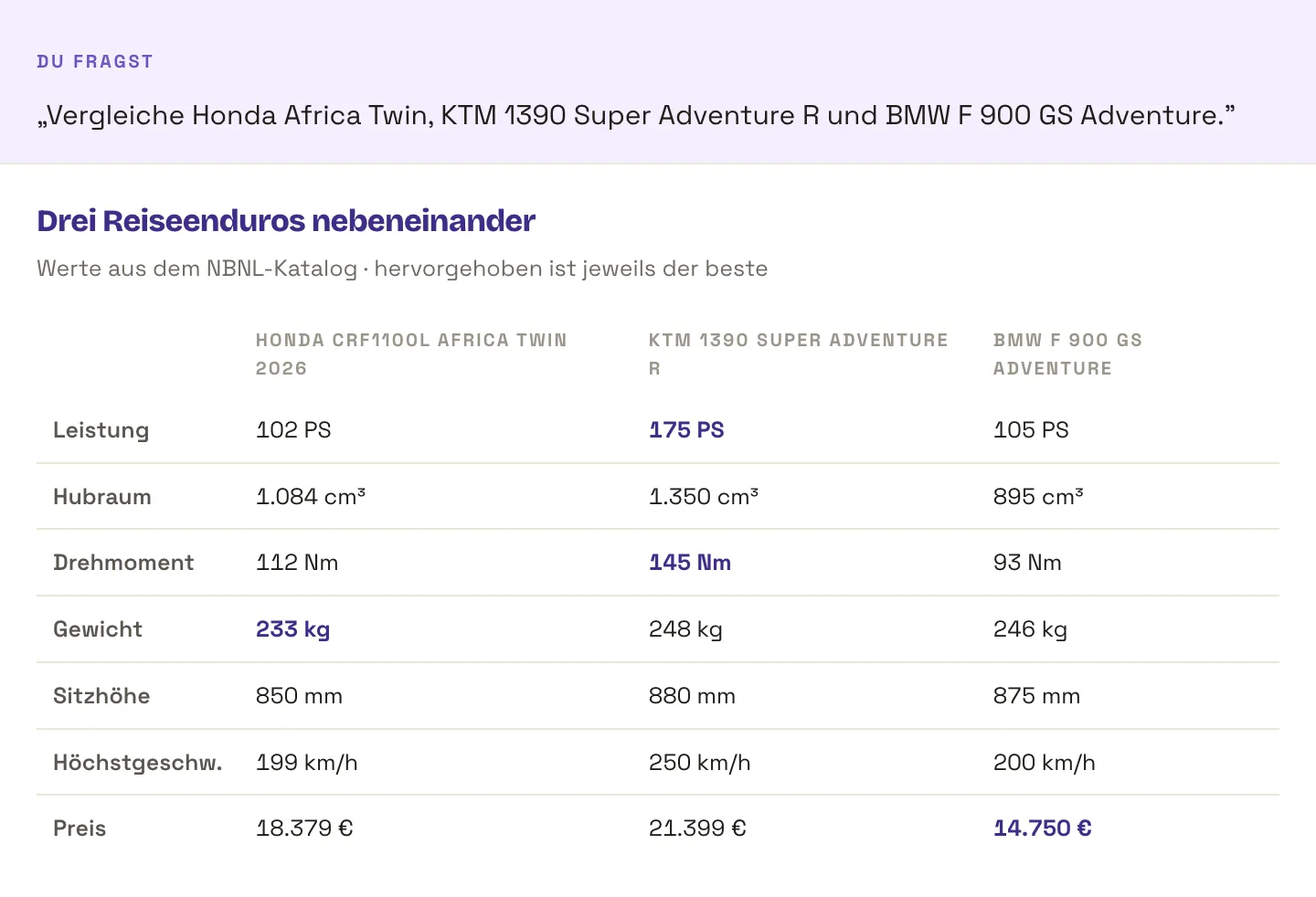
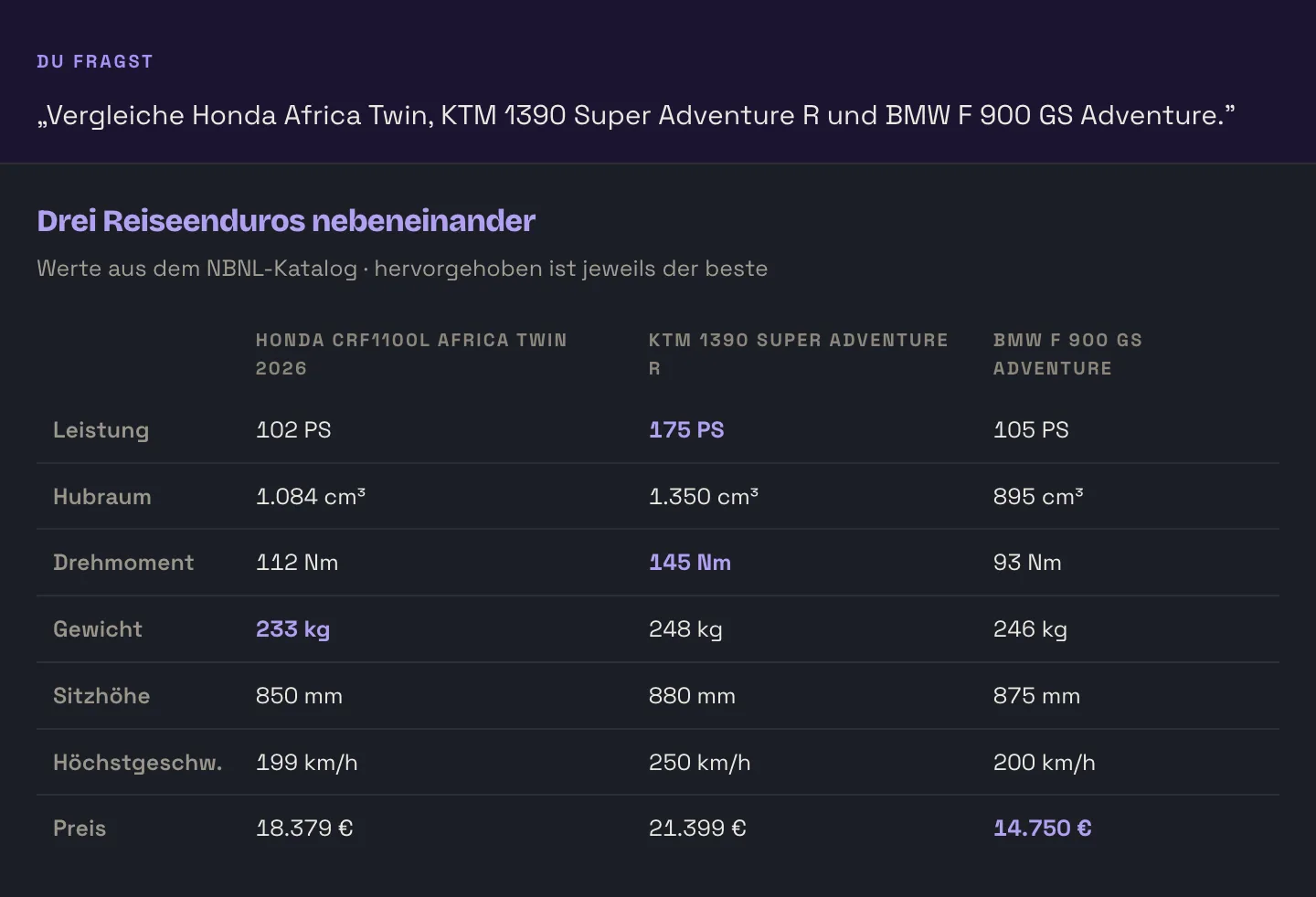
compare_bikes_v2 delivers power, displacement, torque, weight, seat height, top speed and price in a fixed order — so the assistant does not sort them differently every time.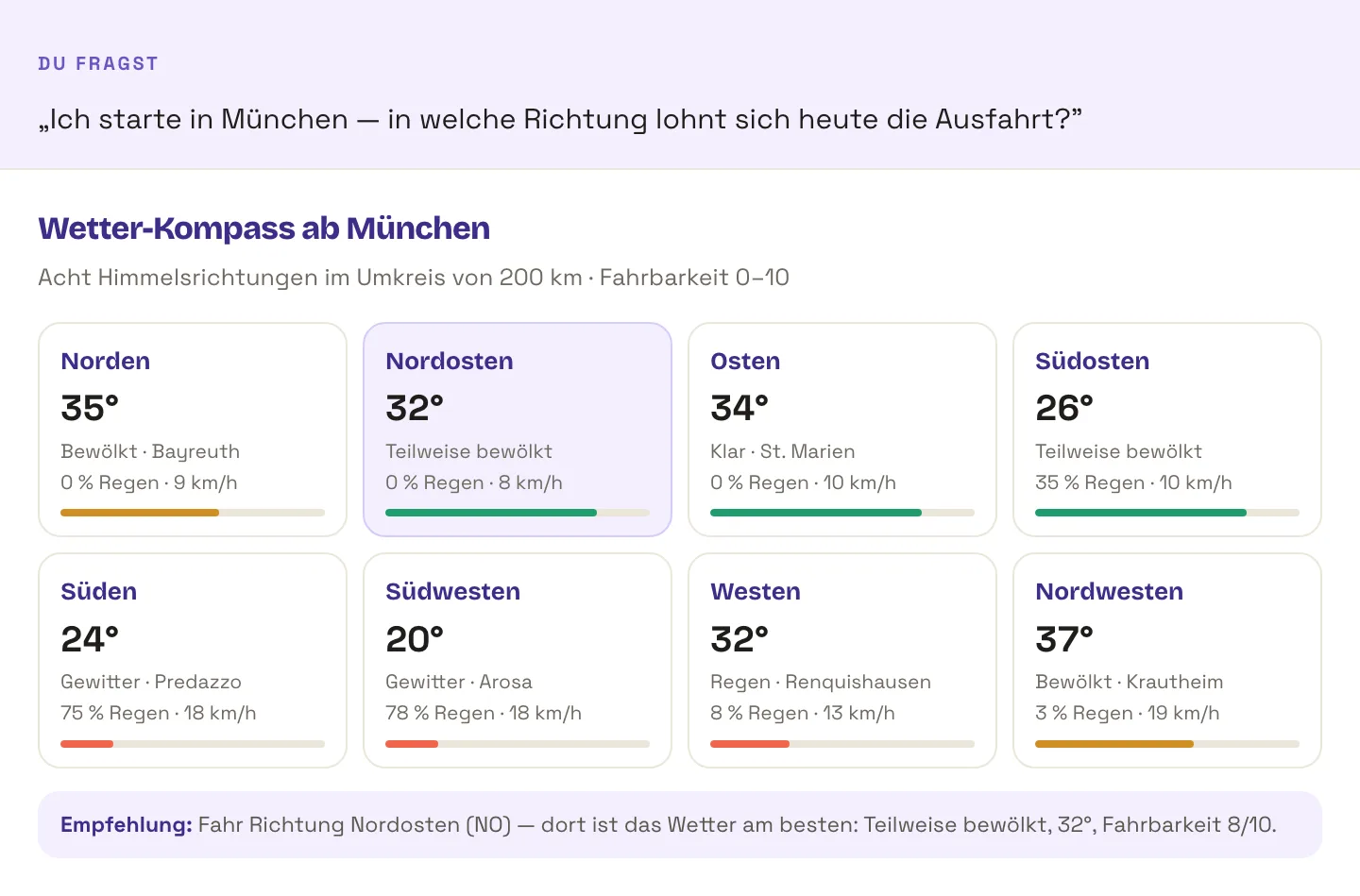
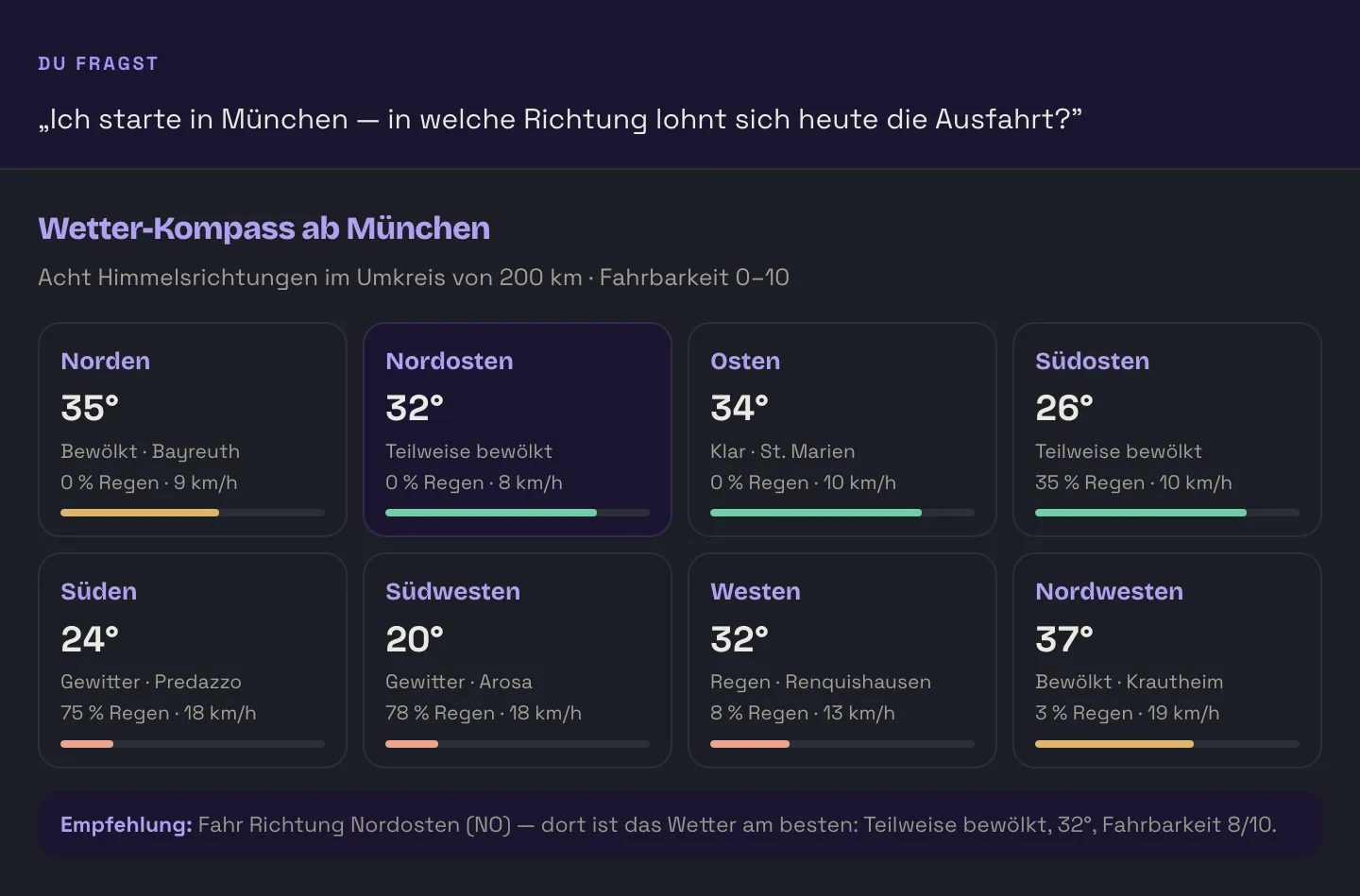
get_weather_compass checks eight compass directions and rates each for rideability. For a fixed route there is get_weather_along_route, for mountain passes get_pass_conditions.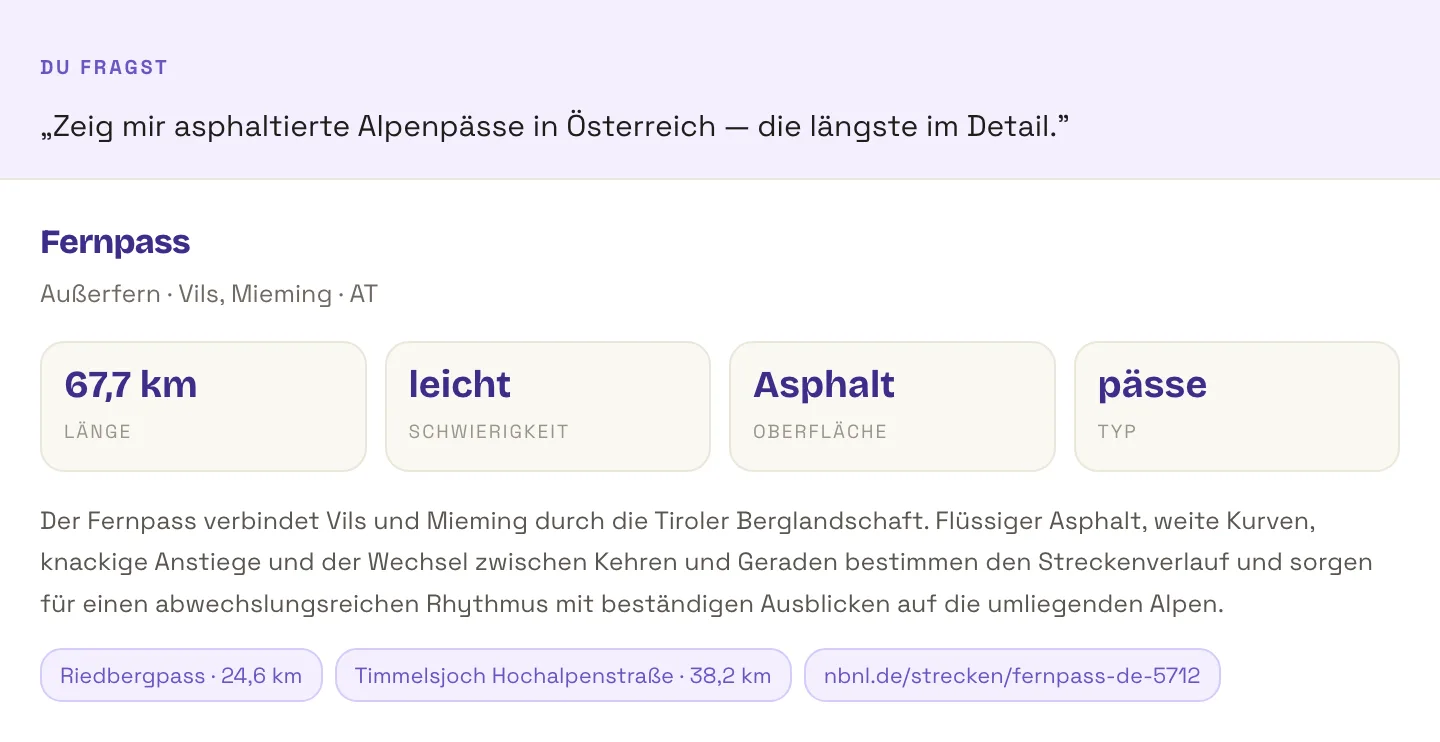
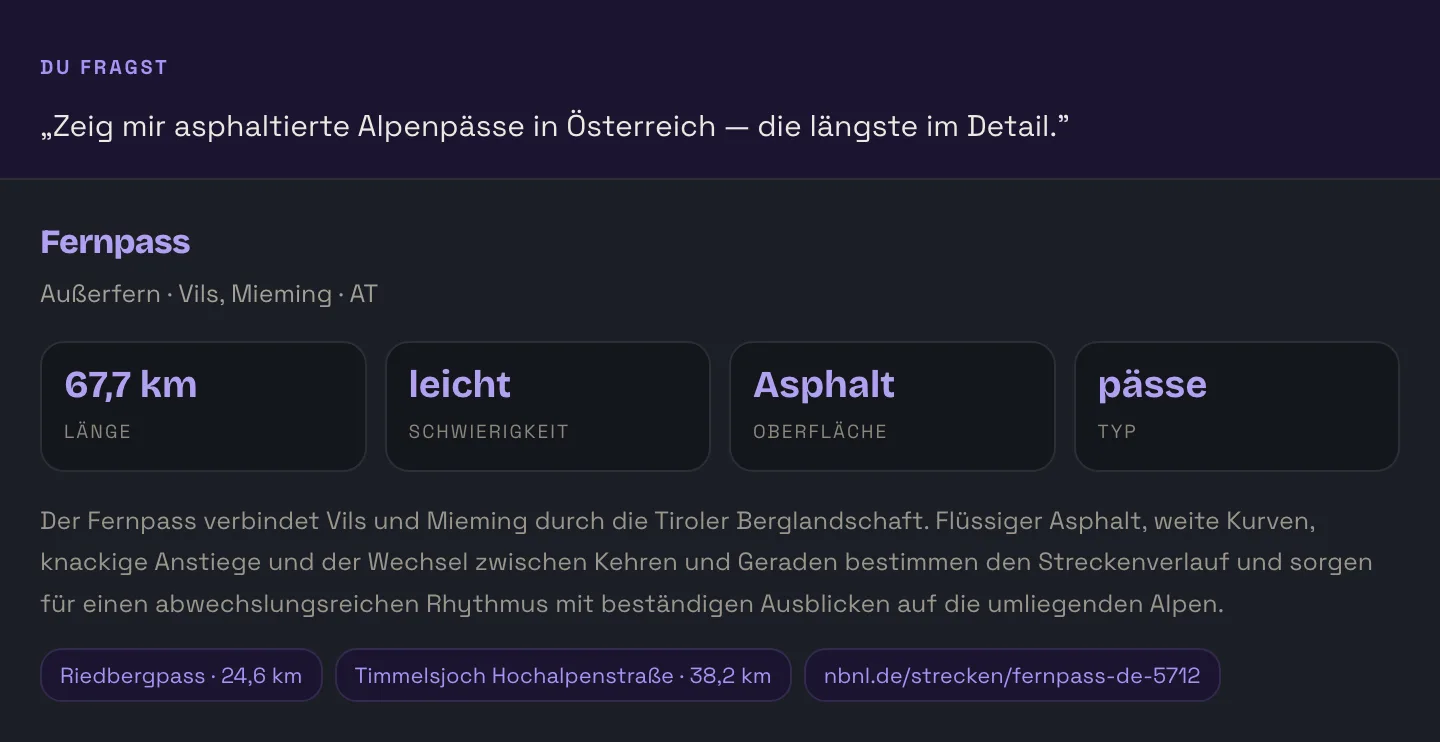
search_tracks filters by type, region, country, difficulty, surface and length; get_track fetches the full profile including a link to nbnl.de.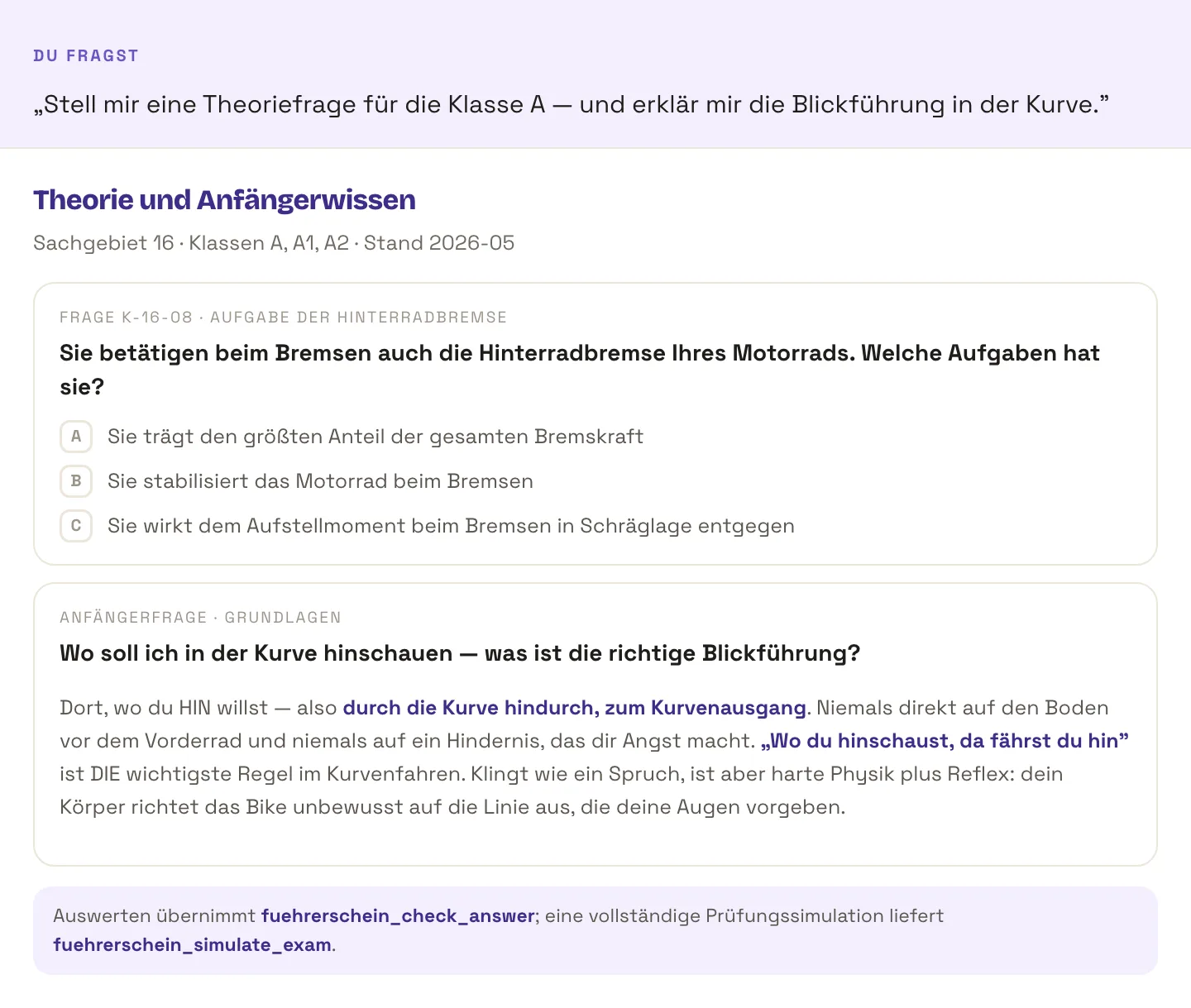
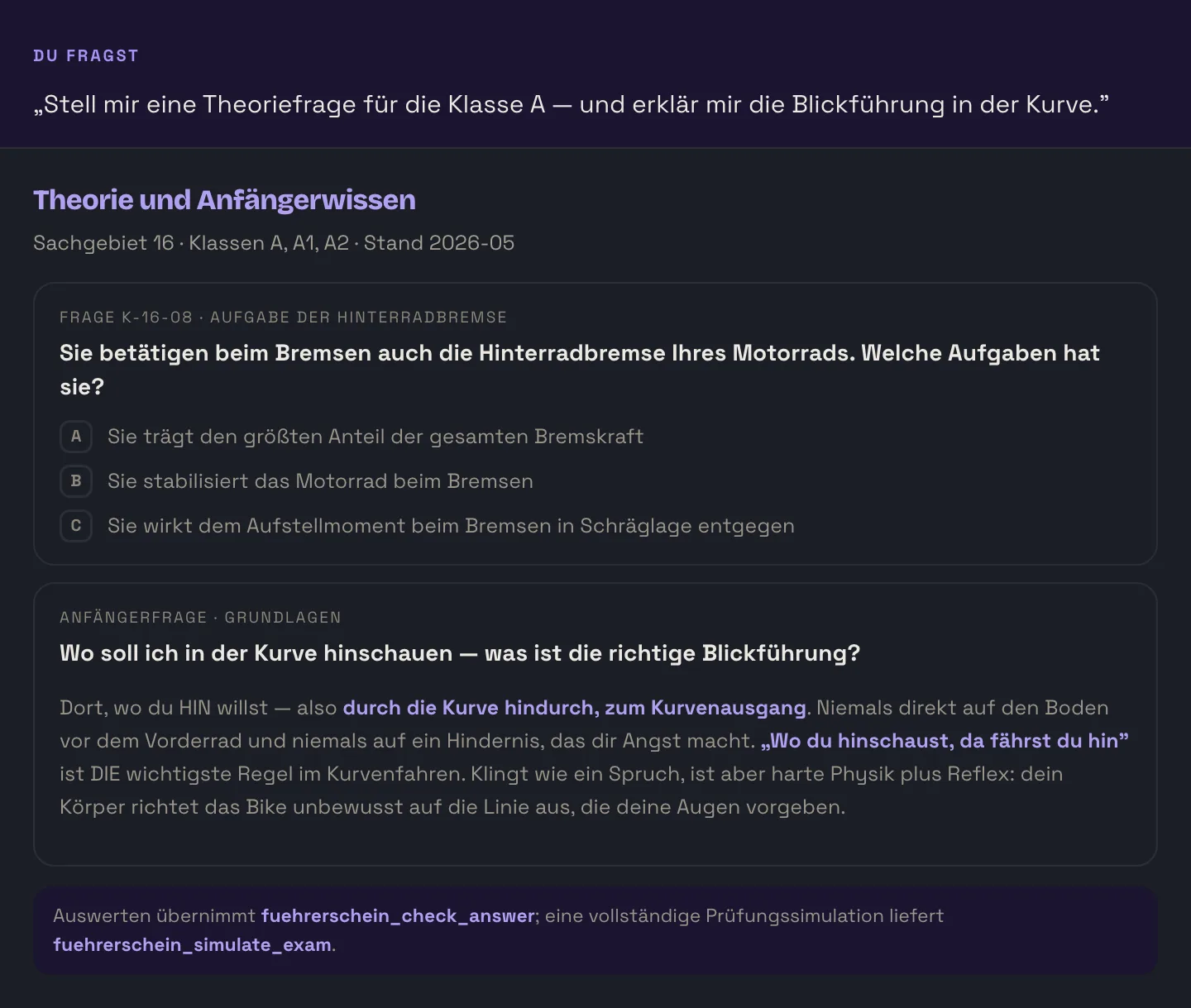
fuehrerschein_simulate_exam. anfaenger_search searches over 200 beginner questions in full text.Connected in two minutes
One endpoint for all clients. There is no second URL for “Premium”, no registration and nothing to unlock.
Copy the endpoint
One single address for all assistants: https://mcp.nbnl.de/mcp
Enter it in your assistant
In Claude under Settings → Connectors → Add custom connector, in Cursor and VS Code in the mcp.json, in Google AI Studio under Tools → Add tool → MCP Server. The exact click paths are below.
Connect without a key
If the assistant asks for a key, choose Connect without key on the NBNL page. The client then reports the 46 tools and you can simply start asking.
Instructions for your assistant
Claude on the web and in the app
The simplest way — nothing to install, nothing to configure.
- Open claude.ai
- Go to Settings → Connectors
- Choose Add custom connector
- Enter this server URL:
https://mcp.nbnl.de/mcp- Claude opens the NBNL page — choose “Connect without key” there
- Done. The tools are available in the chat straight away
Free, without an account and without an API key.
Open Claude connectorsClaude Desktop
Add one entry to the configuration file, then restart Claude.
{
  "mcpServers": {
    "nbnl": {
      "url": "https://mcp.nbnl.de/mcp",
      "type": "http"
    }
  }
}
Claude Code (command line)
claude mcp add --transport http nbnl https://mcp.nbnl.de/mcp

# For all projects instead of just this one:
claude mcp add --transport http nbnl https://mcp.nbnl.de/mcp --scope user
When something is stuck
- No tools showing? Restart the client after changing the configuration — it does not read it before that.
- Asked for a key? You do not need one. Choose Connect without key; an invalid key is ignored rather than rejected anyway.
- Connection dropping? Streamable HTTP works with one session ID per connection. When it expires, the client rebuilds the session by itself.
- No answer at all? Call
health— the tool checks whether the server can reach the database.
What the server can do — and what it cannot
46 tools are a lot, but not everything. What is missing is stated here just as plainly as what is there.
The server can
- Search models, show them in detail and compare up to ten of them
- Plan routes — twisty, without motorways, without tolls — including petrol stations and passes along the way
- Rate riding weather: per day, along the route, or as a compass across eight directions
- Look up checked routes, clubs, race tracks and dealers in DE, AT and CH
- Ask, mark and fully simulate theory questions for categories A, A1 and A2
It cannot
- Render maps or images in the chat — the server delivers data, not an interface
- Access your NBNL account: garage, messages and groups stay out of reach
- Create, change or delete anything on nbnl.de — the server gives information, it writes nothing
- Query prices or availability at dealers; the dealer network is a directory
- Cover countries outside Europe — routing, weather and routes are cut to it
Cards in the chat exist where the client can render them — in the NBNL app for ChatGPT.
All 46 open tools are read-only
The server cannot create, change or delete anything through them — neither on nbnl.de nor in your account, which it is not connected to anyway. Only what the individual call needs is transmitted: a place name for the weather, start and destination for a route. The IP address serves the rate limit alone. Model photos come as signed addresses from media.nbnl.de and carry their picture credit with them. To the privacy policy.
The 46 tools in detail
You do not have to know any of them — the assistant chooses for itself. For completeness, here they all are, with the name they appear under in the client.
Adviser · 1
| Tool | Function | What it does |
|---|---|---|
advisor_recommend | Motorcycle adviser | Takes use, experience, licence category, height, build and budget, and returns a podium with score, reasoning, price, power, weight and a link to the spec sheet. |
Catalogue · 5
| Tool | Function | What it does |
|---|---|---|
search_bikes_v2 | Catalogue search | Searches the catalogue by brand, category, model year or keyword — with fixed sorting and pagination. |
get_bike_v2 | Spec sheet | Complete record of one model: technical data, description, the NBNL verdict and a media overview. |
get_bike_geo | Answer package | Prepared content package on a model along the five W questions, tailored to generative answer engines. |
get_bike_images | Images | All images of a model as a signed address on media.nbnl.de — each with the picture credit that has to be named. |
compare_bikes_v2 | Comparison | Puts up to ten models side by side: power, displacement, torque, weight, seat height, top speed, price. |
Catalogue (older version) · 7
The v1 tools remain in place so that existing integrations do not break. For new integrations the v2 versions are the better choice.
| Tool | Function | What it does |
|---|---|---|
list_brands | Brand list | All brands in the catalogue with their model count. |
search_bikes | Catalogue search (v1) | Predecessor of search_bikes_v2, without normalised metadata. |
get_bike | Spec sheet (v1) | Predecessor of get_bike_v2. |
compare_bikes | Comparison (v1) | Predecessor of compare_bikes_v2. |
search_accident_posts | Accident reports (v1) | Predecessor of search_accident_posts_v2. |
get_trend_overview | Trends (v1) | Predecessor of get_trend_overview_v2. |
get_catalog_snapshot_meta | Catalogue status | Size of the catalogue, data as of, and version of the latest snapshot. |
Routes & points along the way · 4
| Tool | Function | What it does |
|---|---|---|
plan_route | Plan a route | Two to eight waypoints, either fast, direct or twisty, with options against motorways, tolls and ferries. Returns distance, duration, twistiness and the course of the route. |
suggest_round_trip | Round trip | Suggests a twisty round trip for a given starting point and desired length. |
search_pois_along_route | Points along the route | Searches the corridor around a route for petrol stations, workshops, campsites, passes, biker meeting points and speed cameras. |
find_nearest_poi | Nearest point | Finds the nearest points of a given type to a location, within a freely chosen radius. |
Weather · 4
| Tool | Function | What it does |
|---|---|---|
get_motorcycle_weather | Motorcycle weather | Forecast for one place over one to seven days — with a rideability rating per day, not just degrees and millimetres. |
get_weather_along_route | Weather along the route | Forecast at evenly spaced points along a planned route, for a freely chosen departure time. |
get_weather_compass | Weather compass | Rates eight compass directions within a radius of 50 to 400 km and names the best direction for today's ride. |
get_pass_conditions | Alpine passes | Mountain passes around a place, with altitude, distance, seasonal status and whether they are passable. |
Traffic & dealers · 3
| Tool | Function | What it does |
|---|---|---|
search_roadworks | Roadworks & closures | Currently effective traffic reports from the official sources of Germany, Austria, Switzerland, Finland and the Netherlands — by road, region or radius. |
search_dealers | Dealer search | Motorcycle dealers and service partners in Germany, Austria and Switzerland — with brands, address, opening hours and contact details. |
get_dealer | Dealer profile | Complete record of a single dealer from the NBNL dealer network. |
Routes & operators · 4
| Tool | Function | What it does |
|---|---|---|
search_tracks | Route search | Checked motorcycle routes by type, region, country, difficulty, surface and length — Alpine passes, panoramic roads, round trips, enduro. |
get_track | Route profile | Complete profile of a route with description, length, base towns, images and a link to nbnl.de. |
search_track_operators | Find operators | Checked clubs, race tracks, MX and enduro grounds as well as karting circuits. |
get_track_operator | Operator profile | Complete record of an operator or club. |
Licence A / A1 / A2 · 5
| Tool | Function | What it does |
|---|---|---|
fuehrerschein_get_question | Theory question | A single theory question, either from a given subject area or for a fixed question number. |
fuehrerschein_check_answer | Check an answer | Marks an answer and explains why it is right or wrong. |
fuehrerschein_simulate_exam | Simulate the exam | Generates a complete exam session — 30 questions for a first licence, 20 for an extension. |
fuehrerschein_submit_exam | Mark the exam | Marks an exam session and reports error points and result. |
fuehrerschein_categories | Subject areas | The 21 subject areas under FahrschAusbO Annex 2.1. |
Beginner questions · 4
| Tool | Function | What it does |
|---|---|---|
anfaenger_search | Full-text search | Searches over 200 beginner questions in full text and returns the written-out answer with a permalink. |
anfaenger_categories | Categories | The ten categories from basics through gear to technology. |
anfaenger_get_category | Open a category | One category with all its topics and question-and-answer pairs. |
anfaenger_get_question | Single question | One particular beginner question with its answer and permalink. |
Market, trends & sayings · 4
| Tool | Function | What it does |
|---|---|---|
get_market_stats | Market figures | The German motorcycle market according to KBA statistics: new registrations by category from 2000 onwards, brand market shares, top models and the size of the dealer network per brand. |
get_trend_overview_v2 | Trends | Which brands and categories have been searched for most often in recent days, for a period of up to 365 days. |
search_accident_posts_v2 | Accident reports | Reported motorcycle accidents by keyword, year, cause, type or severity. |
search_bike_sprueche_v2 | Biker sayings | Sayings and quotations by topic or at random. Fair-use limit: ten entries per day. |
Editorial · 3
Read-only blog tools. They are open, but they are aimed at the NBNL editorial team — for readers the blog on nbnl.de is the better way.
| Tool | Function | What it does |
|---|---|---|
blog_list_drafts | List posts | Lists NBNL blog posts along with their status. |
blog_get_post | Read a post | Complete record of a blog post including the embedded model cards. |
blog_detect_models | Detect models | Detects motorcycle models mentioned in a text and returns the matching playing-card data. |
Server · 2
| Tool | Function | What it does |
|---|---|---|
health | Self-test | Checks whether the server can reach the database and reports runtime details. The first call when something is stuck. |
capabilities | Capabilities | Reports the tool set, transports, versions and all applicable limits — the source for the figures on this page. |
MCP server, ChatGPT app or an assistant without NBNL?
There are three ways to get NBNL knowledge into a chat. They differ less in what they can do than in what they show.
| NBNL MCP server | NBNL app in ChatGPT | Assistant without NBNL | |
|---|---|---|---|
| Number of tools | 46 | 11 | — |
| Data from the NBNL catalogue | yes, live | yes, live | no, only training knowledge |
| Answer as a card in the chat | no, text and data | yes, 6 widgets | no |
| Routes, dealers, roadworks, licence | yes | no | no |
| Runs in | Claude, Gemini, Cursor, Perplexity … | ChatGPT only | everywhere |
| Setup | enter one URL | one click in the directory | none |
In short: in ChatGPT you take the app with the cards in the chat. Everywhere else — Claude, Gemini, Cursor, Perplexity — you take this server with the full tool set.
Answered briefly
Does access cost anything, and do I need an account?
No and no. NBNL is not commercial: every tool on this page is open to everyone at full data depth — without registration, without an API key, without a plan. Only abuse is throttled, through rate limits.
How many requests may I make?
60 requests per minute per IP address with a buffer of 10. Tools that tap third-party services — routing and weather — additionally share a cap of 120 requests per minute. Biker sayings are limited to ten per day. A single answer returns at most 50 results, a comparison at most ten models.
My assistant is asking for an API key. What now?
Enter nothing. On Claude.ai the NBNL consent page appears — choose “Connect without key” there. A key that is sent but invalid locks nobody out: it is ignored, the call continues as public access, and capabilities() reports the key status as “invalid_ignored”.
The tools are not showing up in the client.
Almost always a restart of the client helps: changes to the configuration are only read on start-up. If nothing appears after that, use the health tool to check whether the server responds, and make sure the address ends in /mcp and not /mcp-chatgpt — the latter is the separate service for the ChatGPT app.
Which assistants can I connect?
Everything that speaks the Model Context Protocol: Claude on the web, in the app and as a CLI, Google Gemini via AI Studio, Perplexity, Cursor, Windsurf, VS Code, Zed and Mistral Le Chat. Clients without HTTP support bind the server through the mcp-remote bridge.
What is the difference to the NBNL app in ChatGPT?
The app shows cards in the chat — bike cards, the route on a map, a weather row — but it only carries eleven tools. The MCP server has 46, but no interface: it delivers structured data that the assistant turns into language itself. In ChatGPT you take the app, everywhere else the server.
What happens to my requests?
Only what the individual call needs reaches NBNL — a place name for the weather, start and destination for a route, a search term for the catalogue. We do not build a user profile from it and we do not store conversations. The IP address is evaluated for the rate limit. What your assistant itself does with your input is governed by its own terms.
Where does the data come from?
Catalogue, routes, dealer network, accident reports and beginner questions come from the NBNL database. Routes and points along the way are derived from OpenStreetMap data (© OpenStreetMap contributors, ODbL). The forecast comes from a self-hosted Open-Meteo instance, roadworks from the official sources of the five countries, market figures from the Kraftfahrt-Bundesamt. Every answer carries its own data status.
Connect once, then just ask
The adviser, the catalogue, the route planner, the riding weather and the theory questions — the same data as on nbnl.de, only right in the middle of the conversation.